Treon Industrial Node C
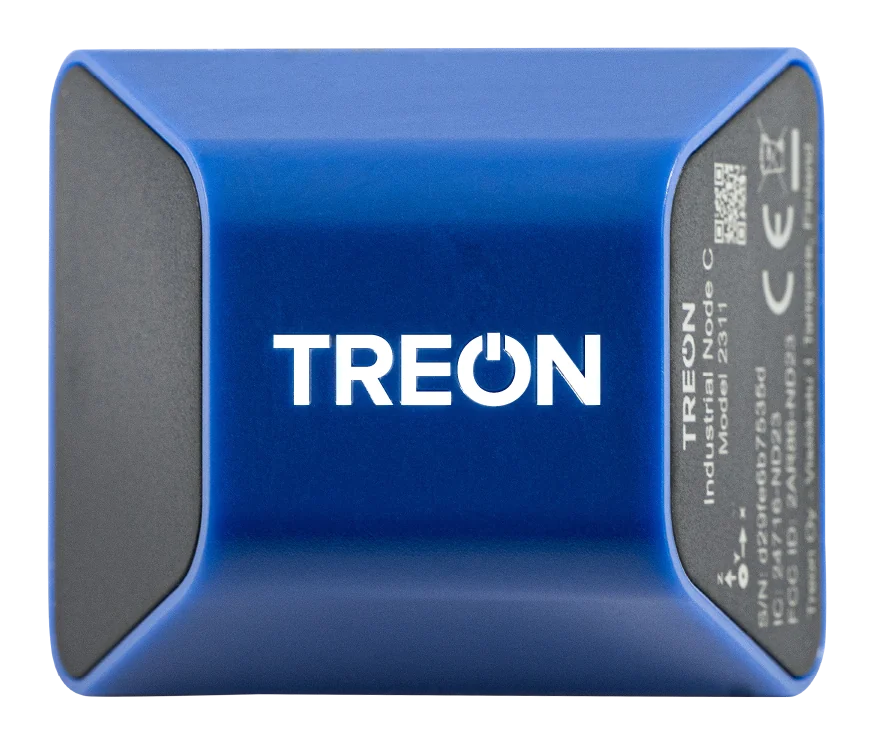
Treon Industrial Node C is a compact, battery-operated wireless vibration sensor for monitoring large fleets of industrial assets such as conveyors, motors, fans, pumps and gearboxes. It is part of the Treon Flow solution and it measures triaxial vibration and temperature, connects to the Treon Gateway over Bluetooth LE, and runs up to five years on its battery.
What it measures
The Treon Industrial Node C uses a MEMS accelerometer to capture 3-axis vibration in the 10–1000 Hz range. On board, it computes and reports the vibration velocity RMS and acceleration RMS KPIs, together with temperature, to Treon Connect. It is a KPI sensor — it does not capture FFT spectra or waveforms.
By default it reports hourly while the machine is vibrating, and every 3 hours when it is not. It measures either at fixed time intervals or on Wake-on-Motion — waking to measure when the asset actually vibrates. For machines that run only sporadically, Wake-on-Motion concentrates measurements on real operating periods rather than wasting them while the machine is idle.
The vibration and temperature sensors are at the base of the device, which is why the bonded contact area matters — see Mounting.
Power and connectivity
- Battery: a non-replaceable, non-rechargeable coin-type lithium metal battery lasting up to 5 years depending on temperature. When it is spent, the sensor is replaced rather than serviced.
- Network: connects to a Treon Gateway over Bluetooth — not the Wirepas mesh used by the Treon Industrial Node X.
Specifications
| Product name / model | Treon Industrial Node C, model 2311 |
| Operating frequencies | 2402–2480 MHz |
| Maximum radio power | +9.9 dBm |
| Operating temperature | −20 to +80 °C |
| Battery | Coin-type lithium metal, non-replaceable |
| Minimum bonded contact area | 30 × 25 mm (at least one third of the base) |
The device is dust- and waterproof, but should not be immersed in water. Do not open it, paint it, or clean it with solvents or strong detergents.
Reading the serial number
The serial number and a QR code containing it are printed on the side of the sensor. You can also read the identification number with the Treon Connect mobile app, by touching the top of the sensor with the phone's NFC field.
Installation
The Treon Industrial Node C is pre-configured to work out of the box. It is glued directly to the asset, then powered on and provisioned with an NFC-enabled smartphone and the Treon Connect mobile app — so a sensor goes from box to monitoring in minutes.
- Mounting — the contact area, the adhesives and the gluing steps.
- Recommended installation locations — where on the machine.
- NFC commissioning — the mobile app flow, step by step.
Once provisioned it appears in Treon Connect like any other device: it shows up in Devices, joins the network view, and is attached to assets as a measurement point, feeding the same Condition, Events and Reports tools as the other nodes.
First data takes a few cycles
Commissioning starts the sensor's internal clock cycle. It can take several measurement cycles — before the first data reaches the cloud. That is a one-time delay while the sensor settles into its cycle, not the reporting interval above.
Product documentation
Datasheets, certifications, declarations of conformity and the printed quick start guide are on the Treon website: Product Documentation.