Create assets and measurement points
An asset is a machine you monitor. A measurement point is a device once it is attached to an asset — the pairing of "this sensor" with "this position on this machine". Monitoring begins at the moment a device becomes a measurement point.
1. Create the asset
In Assets, Create New and give the machine a name, type and group.
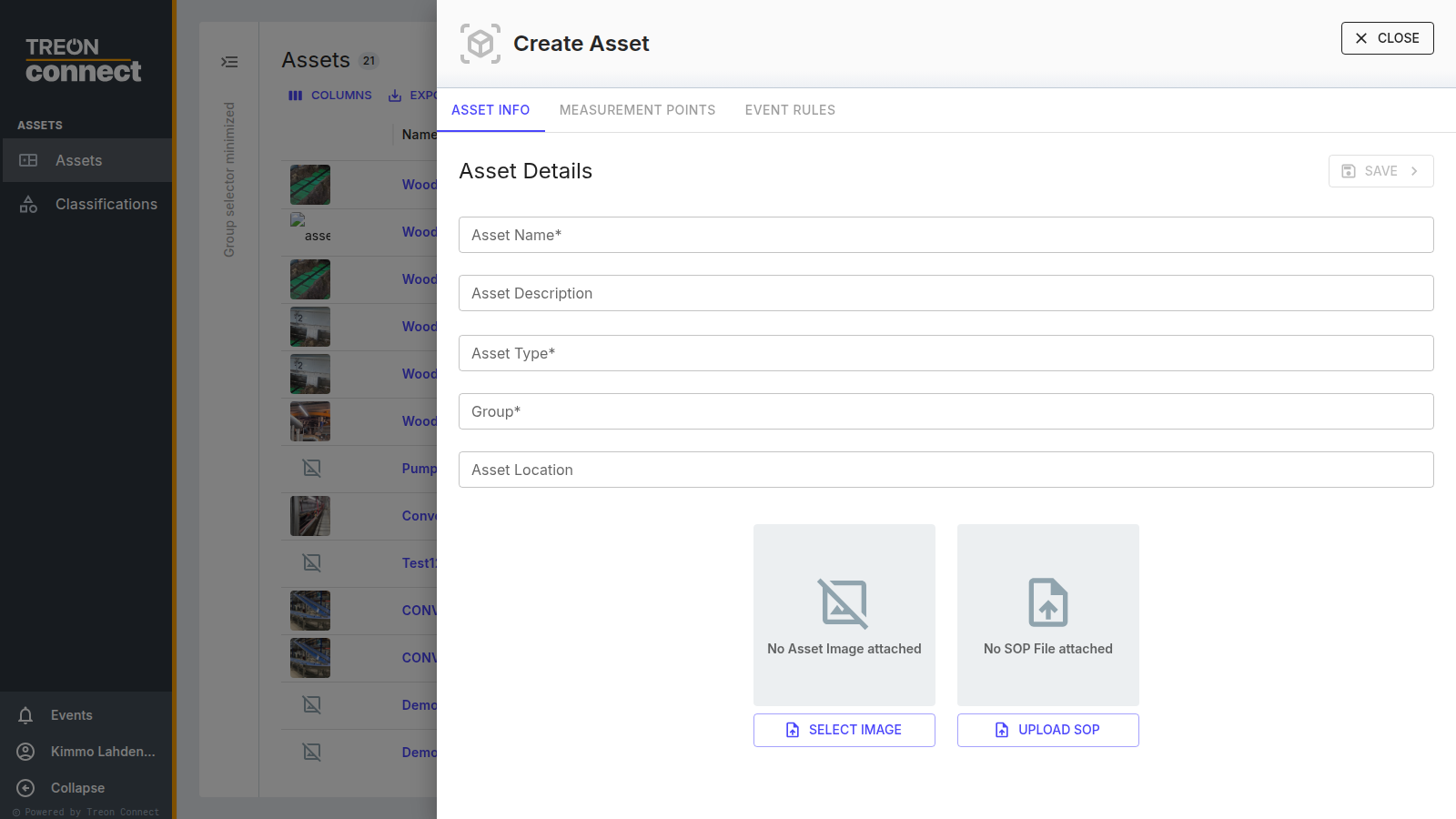
Asset names are unique across the whole instance
If you monitor the same machine type at several sites, use site-qualified names — for example "Axima Chiller – Roof Plant 1" — so the second one does not collide with the first.
Add a photo and a location while you are here. They cost nothing now and save a technician a trip later.
2. Attach the sensors as measurement points
On the asset's Measurement Points tab, attach the device you commissioned. Use the installer's serial-number record so the right sensor lands on the right position.
Name the measurement point after the position, not the machine — "Motor DE", "Pump NDE", "Conveyor right 3". Every trend, event and report is labelled with this name, so a vague one costs you at every step afterwards.
Treon Industrial Node C is attached during commissioning
A Treon Industrial Node C is powered on and attached to its asset in one NFC step from the mobile app, so the asset must exist before the installer arrives. See NFC commissioning.
3. Align the naming across machines
If you monitor several similar machines, use the same measurement-point names on all of them. Comparison is far more useful when "Motor DE" means the same position on every asset.
4. Confirm data is flowing
Open the measurement point in Condition → Measurements. The Asset Overview tab shows its current status and recent events; the Trends (KPI) tab shows the KPIs arriving.
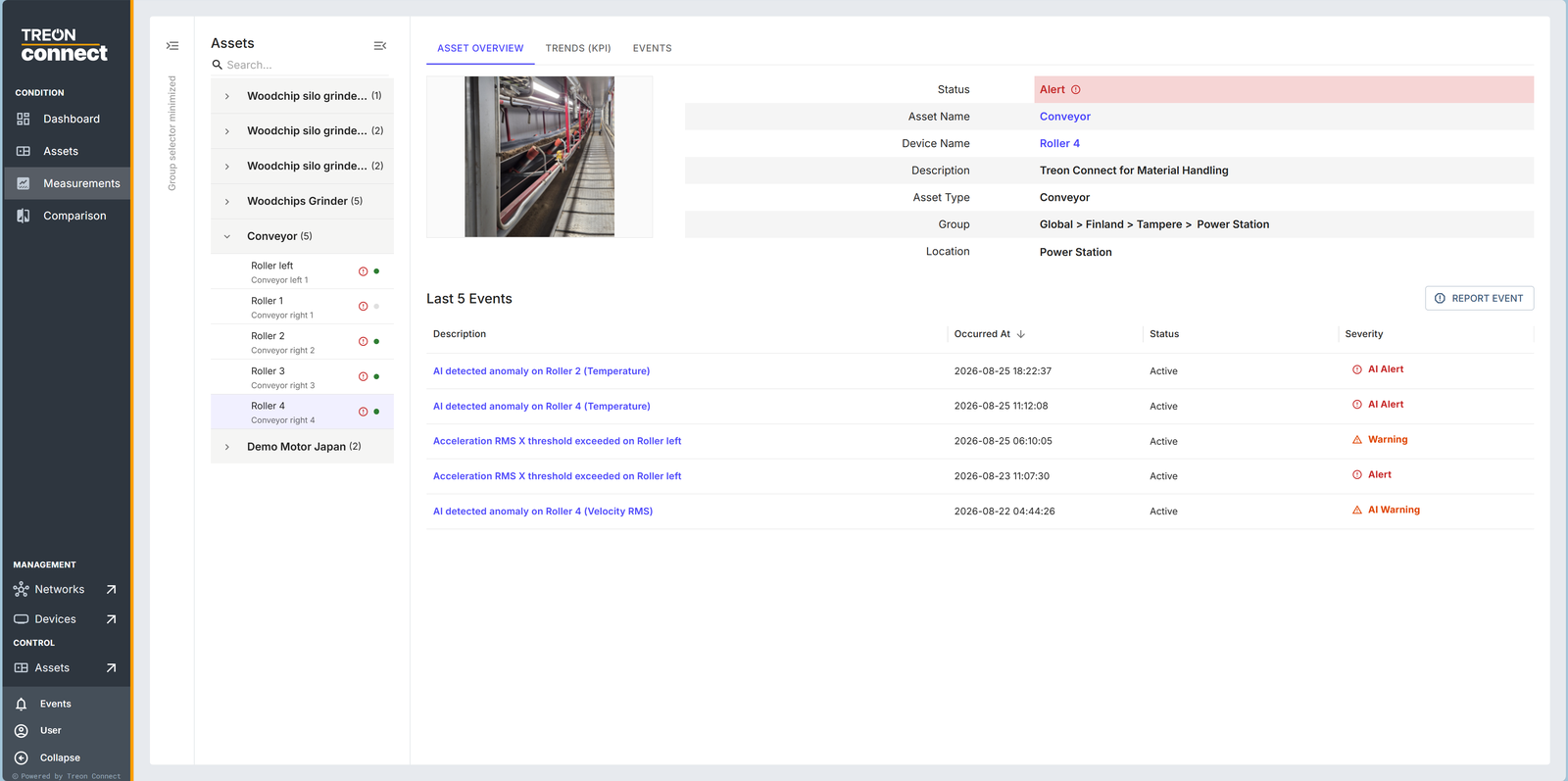
A newly commissioned sensor takes a few measurement cycles before the first data lands. If nothing arrives after that, go back to Connectivity verification.