Condition Monitoring Measurements
Legacy documentation
This page is preserved from the previous knowledge base and describes older Treon products and manual configuration workflows. It is kept for reference and is not maintained against current Treon Connect releases.
The Treon Connect Condition Monitoring app let’s you analyse the condition monitoring data from your assets, trigger individual measurements, and set up alerts and warnings.
The Measurements tab provides the received data for each measurement device separately.
There are 3 different menus for 3 different types of data:
-
1. Trends (KPI)
-
1. Spectrum (FFT)
-
1. Waveform (Raw data)
1. Trends (KPI)
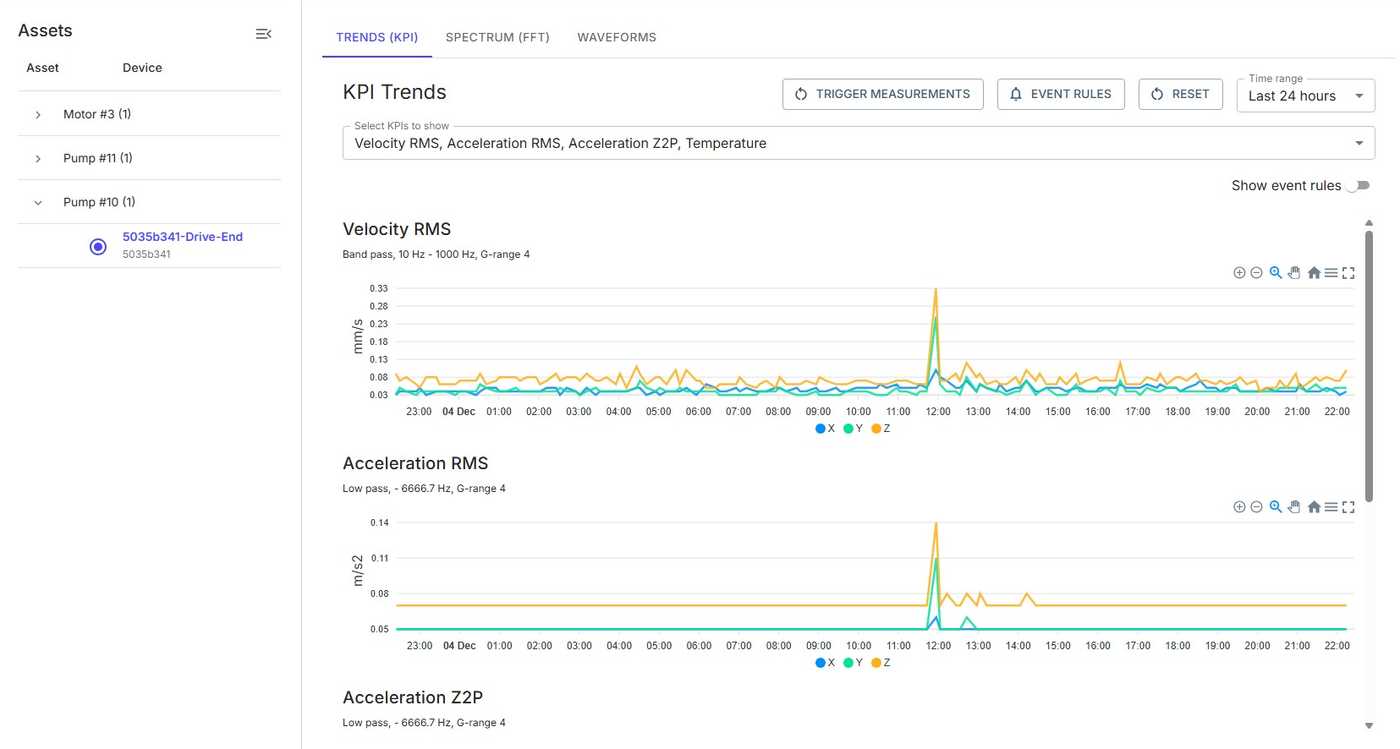
Trends data will show individual KPIs measured at one point in time.
You can choose which of the measured KPIs are shown:
| Acceleration P2P | Acceleration amplitude, m/s^2 |
| Acceleration RMS | Acceleration RMS, m/s^2 |
| Acceleration Z2P | Max zero-to-peak acceleration, m/s^2 |
| Crest | Crest |
| Kurtosis | Kurtosis |
| Velocity P2P | Velocity amplitude, mm/s |
| Velocity RMS | Velocity RMS, mm/s |
| Velocity Z2P | Max zero-to-peak amplitude, mm/s |
| Temperature | Temperature trend in °C |
The top menu bar will let you trigger measurements for individual assets, set event rules, reset the data and set the time range.

Trigger Measurements
Outside of the preset measurement schedule an additional measurement is triggered from this device. A command is sent to the node via the gateway, the node will perform the measurement and then send the data via gateway to Treon Connect. Depending on the type of measurement, the constitution of the mesh network and the network connection of the gateway, this can take a shorter or a longer time.
For a standard 3-axial KPI measurement, choose Measurement ID 0 from the list. Please learn more about Measurement IDs before triggering a measurement.
Event Rules
Event rules are preset conditions that, when met, will trigger a warning or an alarm. Learn how to set up event rules.
Reset
Reset means that all settings will revert to the standard display settings.
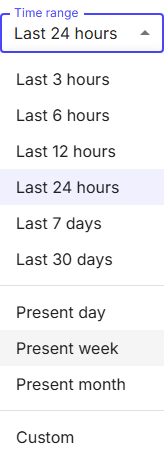
Time Range
You can freely set the time range for displaying the data.
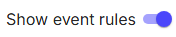
Visualise Event Rules
You can turn on the visualisation of Event Rules so warning and alert thresholds are shown on the visualisation timelines.
2. Spectrum (FFT)
Spectrum data uses the Fast Fourier Transformation (FFT) algorithm to transform measurements into detailed data about frequency.
Spectrum (FFT) measurements are not part of the preset measurement schedule.
Trigger Measurements
Outside of the preset measurement schedule an additional measurement is triggered from this device. A command is sent to the node via the gateway, the node will perform the measurement and then send the data via gateway to Treon Connect. Depending on the type of measurement, the constitution of the mesh network and the network connection of the gateway, this can take a shorter or a longer time.
For a standard 3-axial FFT measurement, choose Measurement ID 1 from the list. Measurement IDs 1 to 3 are set for FFT data. Please learn more about Measurement IDs before triggering a Spectrum (FFT) measurement.
3. Waveform
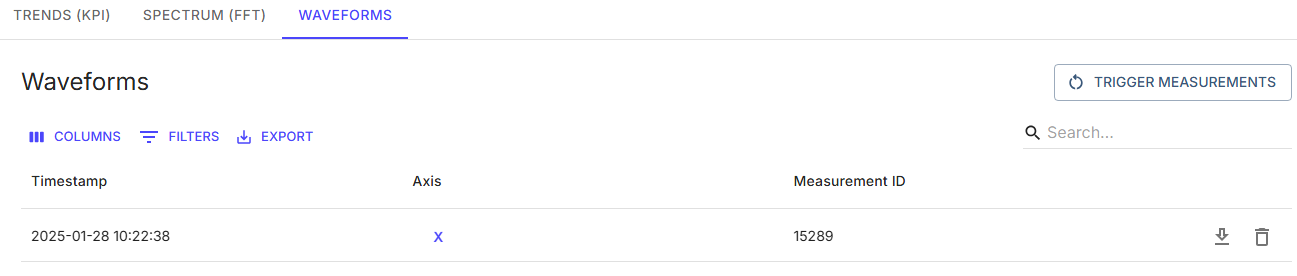
Waveform data is a full range of raw data collected instead of individual KPIs or pre-calculated Spectrum (FFT) data.
Waveform data measurements are not part of the preset measurement schedule.
Please note that Waveform data is not visualised within Treon Connect. You can download the measurement data as CSV-file.
Trigger Measurements
Outside of the preset measurement schedule an additional measurement is triggered from this device. A command is sent to the node via the gateway, the node will perform the measurement and then send the data via gateway to Treon Connect.
Waveform data will take a longer time, even more when the network connection of the gateway is weak. Should the mesh network have weak connection links or other data is transmitted at the same time, data congestion might occur in some instances and data fragments might get lost.
Measurement IDs 4 to 7 are set for Waveform (raw data). Please learn more about Measurement IDs before triggering a waveform measurement.