Treon Connect Mobile App
A mobile-first maintenance workflow, right at the machine. Set up sensors, get alerts, follow SOP guidance and give feedback that trains the AI. The app uses the same data, events and permissions as the web applications.
You sign in with the same account you use for the web; the groups you can see and what you can do are governed by the same access and roles.
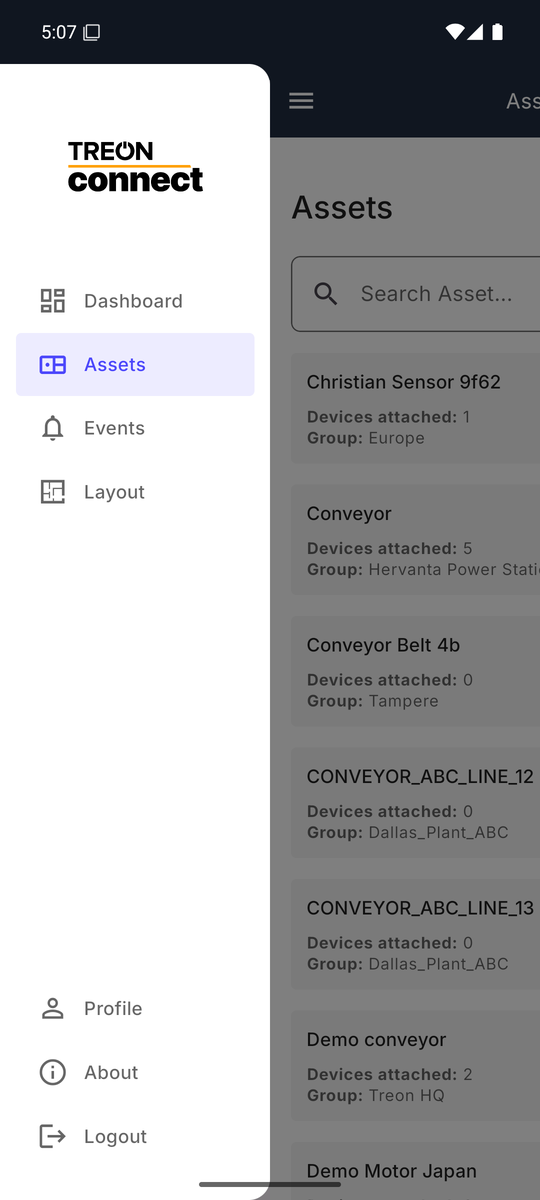
The menu gives you four working areas — Dashboard, Assets & measurement points, Events and Layout explorer — plus your profile. See the navigation for each, and for the two field workflows the app is built for: NFC commissioning and push notifications.
Getting the app
- iOS — version 15.1 or newer. Download on the App Store.
- Android — version 8.0 or newer. Get it on Google Play.
On first launch you enter your instance URL and sign in with your Treon Connect account. Its About screen links to this knowledge base, the privacy policy and the license terms. Your account and app preferences live under Profile.
When to reach for the web instead
The app focuses on monitoring and the field workflow. Two things live on the web applications: the heaviest analysis — detailed spectrum and waveform work on Treon Make / Treon Industrial Node X — and administration, meaning the Networks map, Configurations, Reports, and managing users, roles and groups.