Assign classes and thresholds
A measurement point that measures but has no limits will never raise an event. This guide gives a machine its limits. There are three sources and they combine freely — see how events are raised.
1. Choose the mix
| Source | What it gives you | Best for |
|---|---|---|
| ISO 20816 classes | Standards-based Warning and Alert limits, applied consistently | Many similar machines, and a sensible floor everywhere |
| Manual thresholds | One specific limit on one KPI | Machine-specific knowledge the standard does not cover |
| AI anomaly detection | Learns this machine's own normal; no limit to set | Catching the unexpected, and slow drift below any fixed limit |
A common, good default is an ISO class plus AI — the class catches "too high in absolute terms", the AI catches "different from how this machine usually runs".
2. Apply a class
Assign an ISO or custom classification to the asset. The class sets the Warning and Alert thresholds automatically, based on the machine's size, rated power and foundation type.
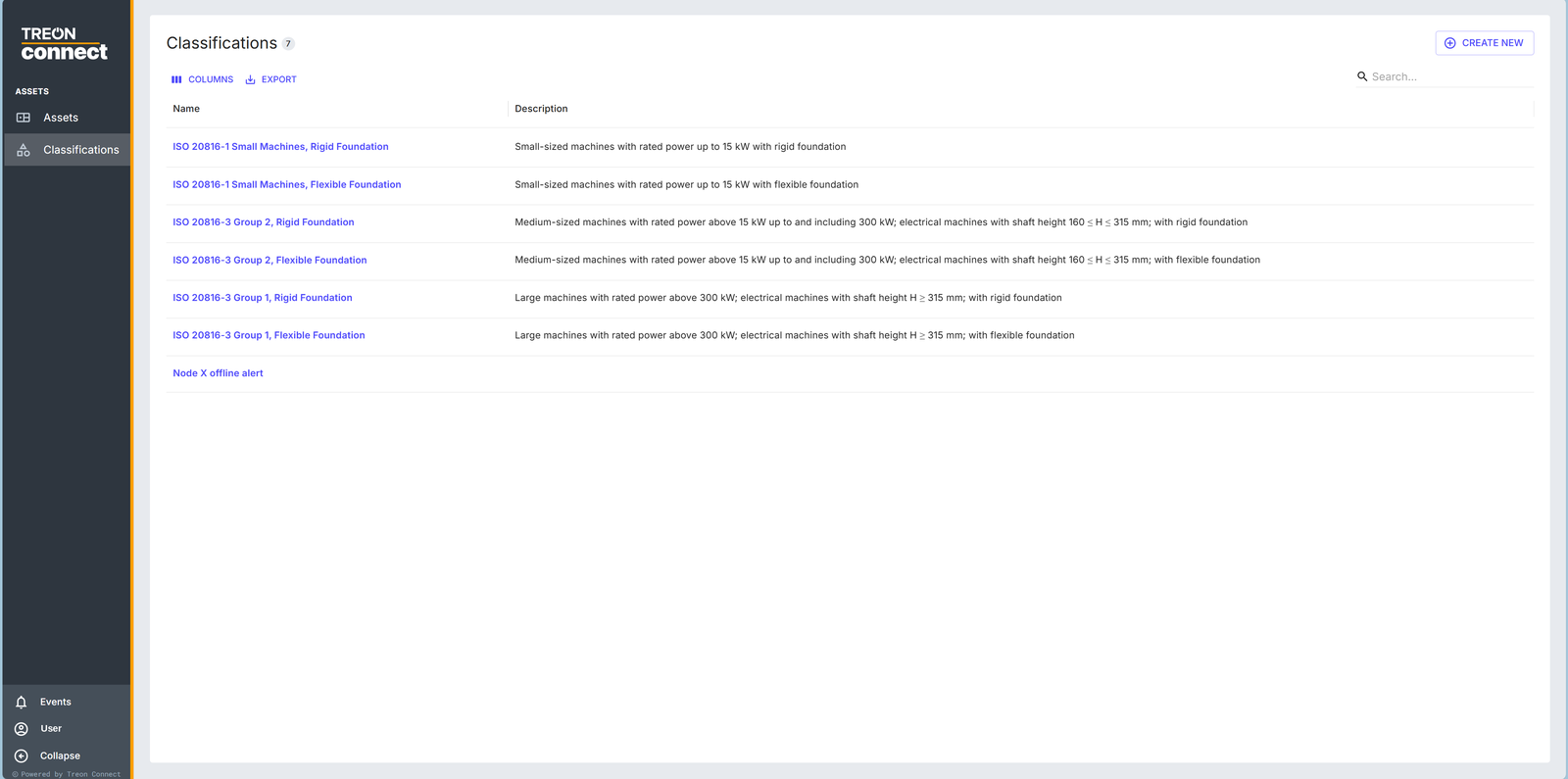
Pick the class from the machine's rated power, shaft height and foundation (rigid or flexible). If none of the built-in classes fit, create a custom class first and apply that.
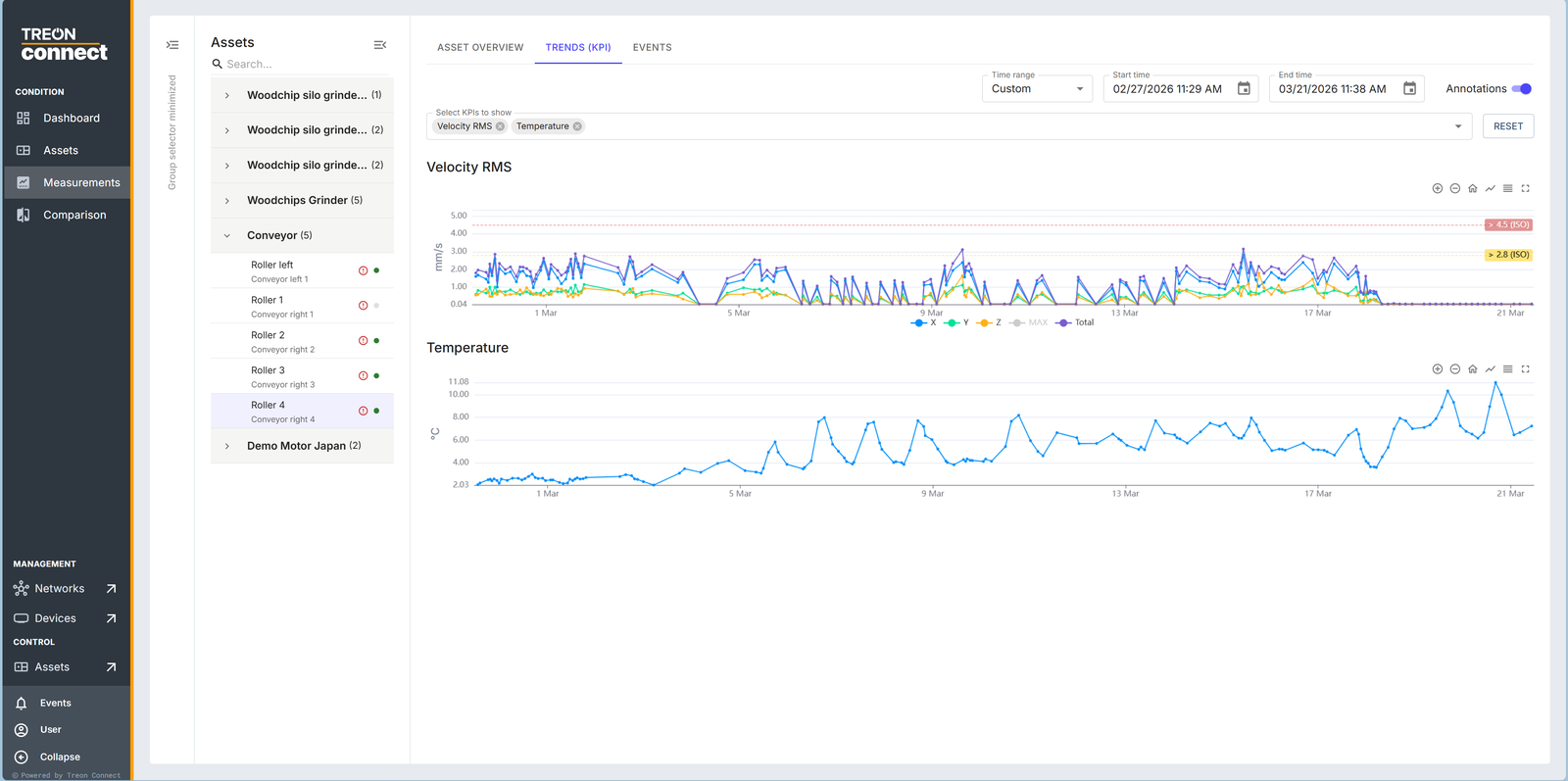
Once assigned, the class limits are drawn straight onto the velocity-RMS trend, so you can see how close a machine is running to its limit.
3. Add manual thresholds
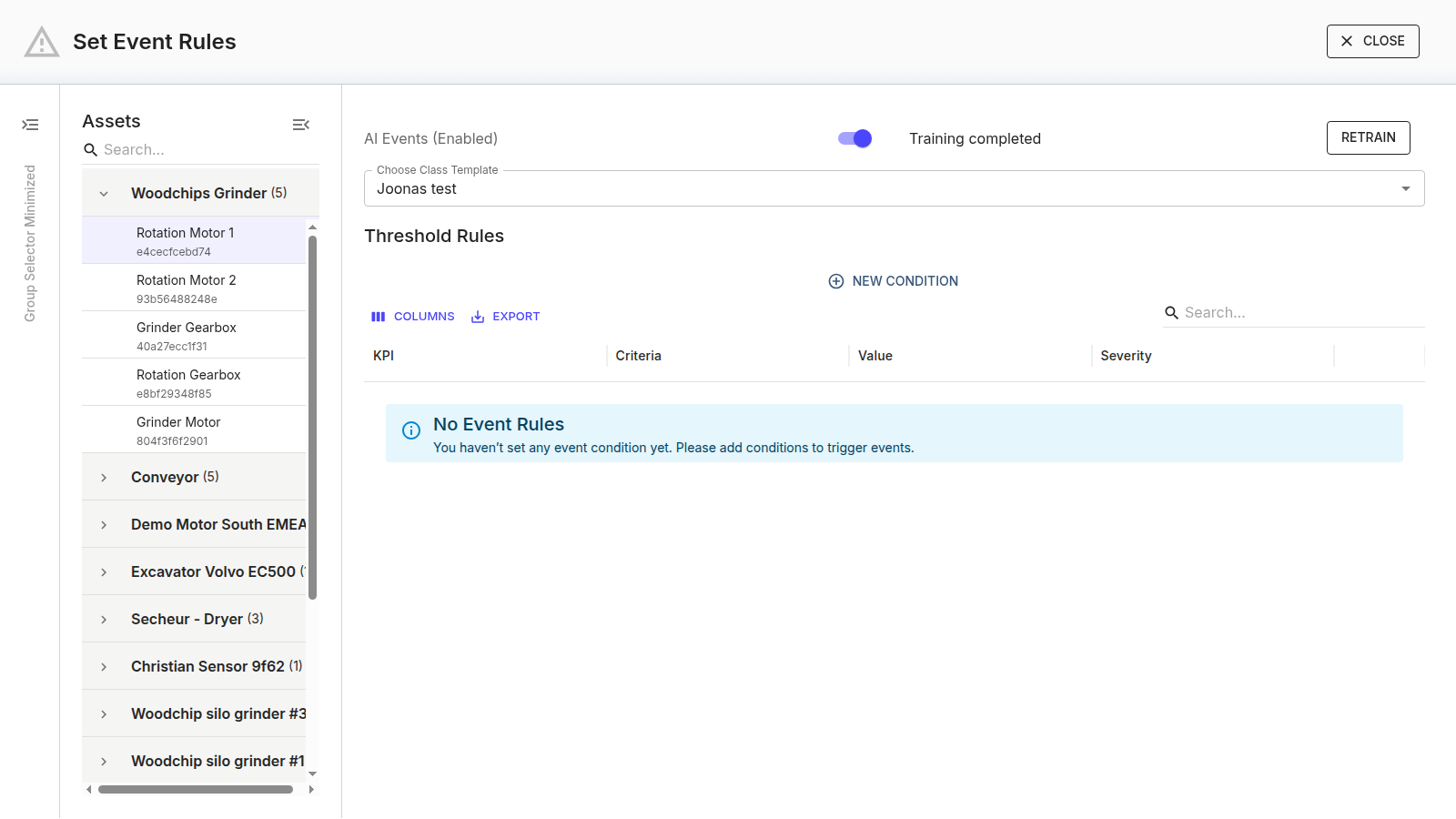
For limits specific to one machine, add threshold rules on its measurement point — KPI, criteria, value, severity.
4. Confirm AI is on
On the same Set Event Rules panel, check that AI events are enabled. The model trains itself once measurements flow — nothing to configure. Over the following weeks watch Devices Trained climb as baselines complete.

After a deliberate change to the machine, retrain so the new behaviour becomes the new normal.
5. Roll it out to similar machines
Classes are the efficient way to do this at scale: apply the same class to every machine of that size and mounting, rather than setting thresholds one at a time.
Next: Analyze data, or set up who gets told.