Treon Gateway Ethernet Connection
Legacy documentation
This page is preserved from the previous knowledge base and describes older Treon products and manual configuration workflows. It is kept for reference and is not maintained against current Treon Connect releases.
Ethernet connection Treon Gateway & Treon Gateway 2
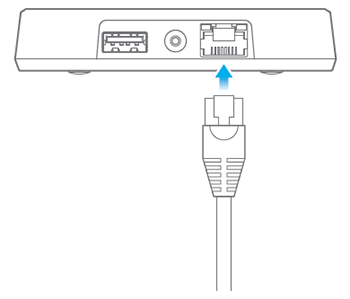
You can establish an ethernet connection simply by attaching an ethernet cable to the Treon Gateway (QuickStart Guide item D).
Ethernet connection Treon Gateway in Protective Enclosure
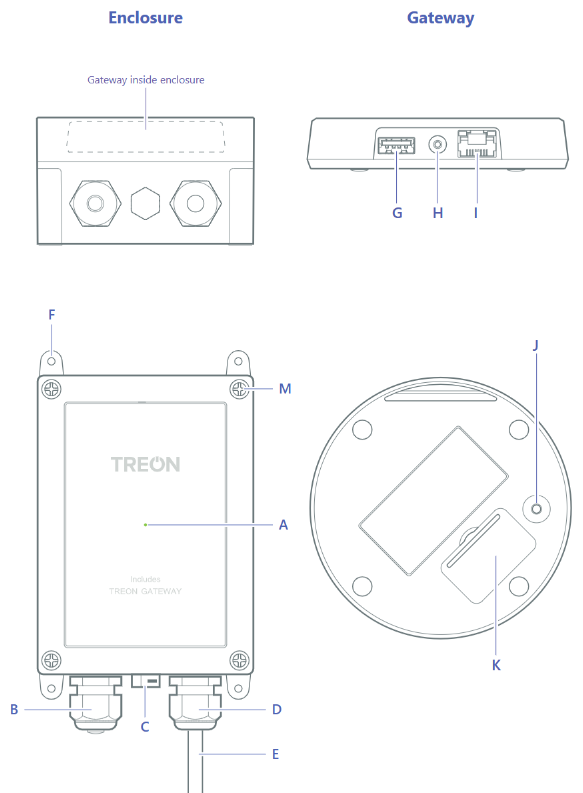
For establishing an ethernet connection with the Treon Gateway in Protective Enclosure, you need to open up the enclosure to gain access. When using a permanent ethernet connection, you should run the ethernet cable through the free cable gland in the enclosure (QuickStart Guide item B).
Settings
You can change the ethernet settings in the Configuration UI of the Treon Gateway.