Firmware updates
Regular software updates keep the system secure throughout its life. Administrators can see available firmware by model and update devices over the air (FOTA).
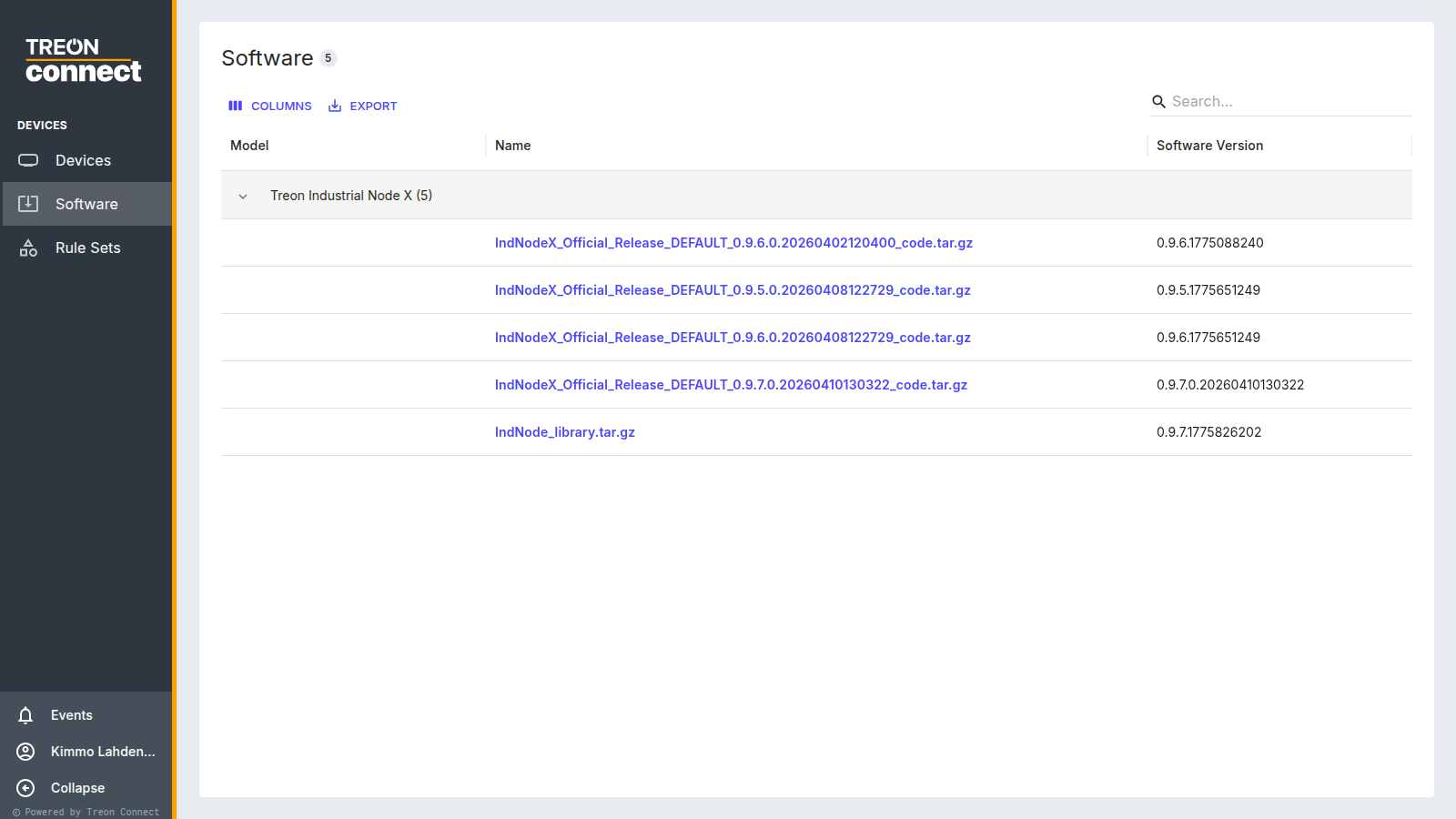
Firmware is grouped by model, with the version name, model and how many devices it covers.
Updating devices
Select a firmware version to open its Applicable Devices — devices currently on the same or a lower version are listed. Select the devices with the checkboxes, then Update Selected and confirm; the confirmation shows the target version. The update is delivered through the gateway and mesh; for battery sensors it completes at the device's next wake-up, so a fleet update can take time, and progress and result are reported per device.
- Block during update — a device that already has an operation running can't be selected, so you can't stack updates on a busy device.
- Nodes are shown as a tree (expand a gateway to reach its nodes). Updating nodes carries a warning that they will stop sending measurement data during the update, which can take multiple hours — plan node updates accordingly.
Interrupted or failed updates
A sensor that misses an update (out of range, asleep) retries at its next opportunity. If a device repeatedly fails to update, check it is online in the Devices list and within mesh range, then retry.