Treon Gateway 2 in protective enclosure
The Treon Gateway 2 in Protective Enclosure is a field-proven gateway with enhanced connectivity, and global cellular coverage (SIM and subscription included), ready for indoor or outdoor use. It ships in a sealed IP67 enclosure rated for −20 °C to +50 °C, which you open only for Ethernet coupling or a SIM card.
The enclosure is not intended for continuous submersion, and it is not hazardous-area certified.
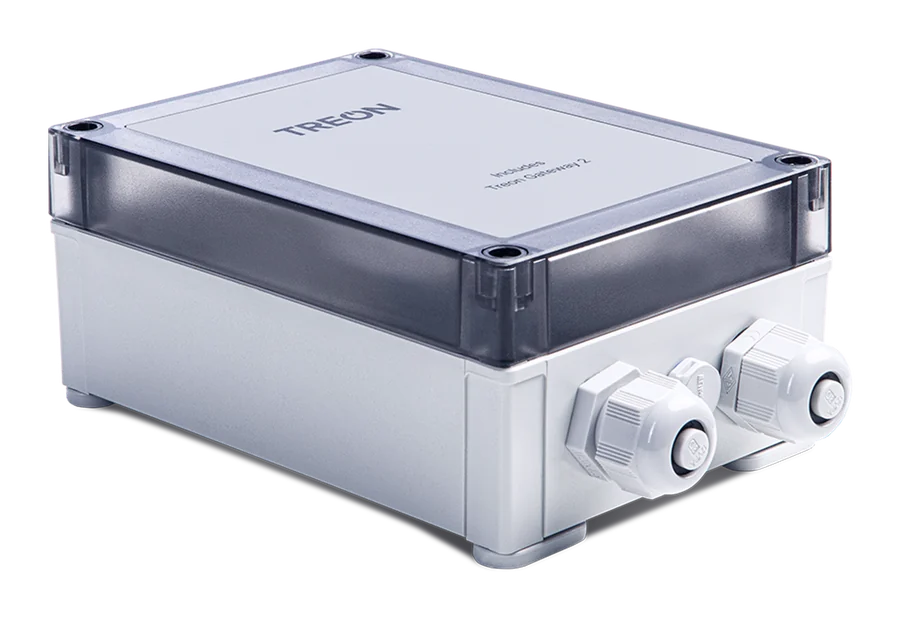
What is in the box
- Treon Gateway 2 in protective enclosure, with the power cable fitted
- Power supply unit
- Documentation
Mounting screws are not included.
Keys and parts
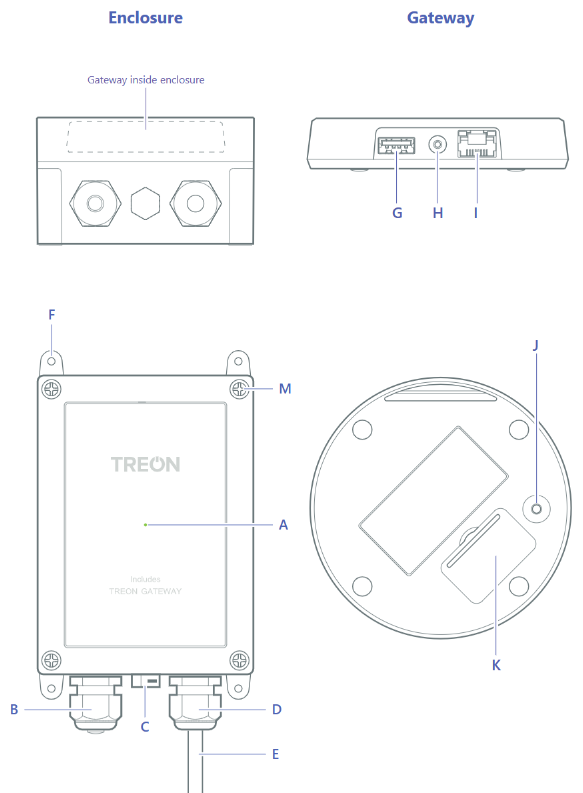
| A | Status light | H | Power cable connector |
| B | Ethernet cable gland | I | Ethernet cable connector |
| C | Air vent | J | Micro SIM card slot |
| D | Power cable gland | K | Configuration button |
| E | Power cable | L | Finger guard for power cable |
| F | Adjustable mounting brackets | M | Lid screws |
| G | USB A host port |
The status light (A) and the configuration button (K) are reachable only with the lid open.
Mounting the enclosure
- Turn the four adjustable mounting brackets (F) outward.
- Fix the enclosure to the surface with four screws of 4 mm diameter at most.
- Leave the mains plug easily accessible, keep at least 20 cm between the gateway and people, and do not cover the enclosure. Covering it prevents the gateway from operating properly.
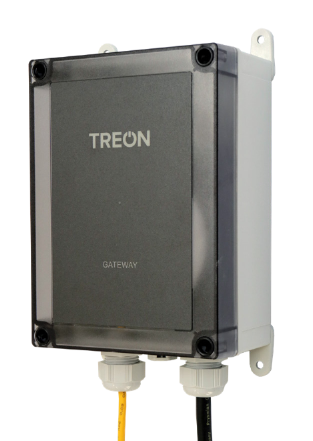
In Australia and New Zealand, mount the enclosure below 2 m in height.
Opening and closing the lid
Unplug the power first
Always unplug the power cable from the wall outlet before opening the enclosure, and never remove the finger guard (L) of the power cable. Removing it may result in electric shock.
- Unplug the power cable from the wall outlet.
- Unscrew the four lid screws (M) at the corners with a suitable screwdriver.
- Lift the lid carefully. The internal cable stays attached, so avoid bending it.
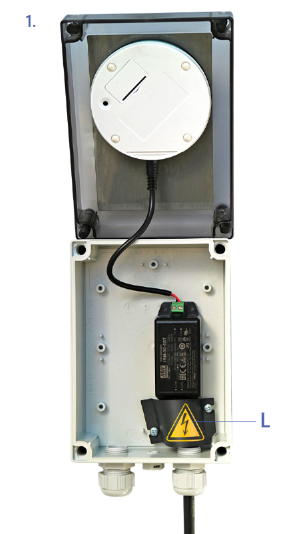
Close the lid and tighten all four screws again before the gateway goes back into service. The IP67 rating depends on the lid being closed and both cable glands being sealed.
Cable glands
The enclosure has two glands: one for the fitted power cable (D) and one spare for Ethernet (B). The Ethernet gland ships plugged and sealed; the plug and sealing rubber are pushed out from the inside when the cable is fitted. Installation has the sequence.
A cable fitted without its sealing rubber, or a gland cap left loose, breaks the IP67 seal.
Next steps
- Installation — mounting, powering, getting online and configuring, in order.
- Treon Gateways — what the gateway does, the two wireless variants, and connectivity.