Operational Telemetry
Track device health and operations from one place. Operational Telemetry shows each configuration change, measurement trigger and firmware update, and whether it succeeded, failed or timed out.
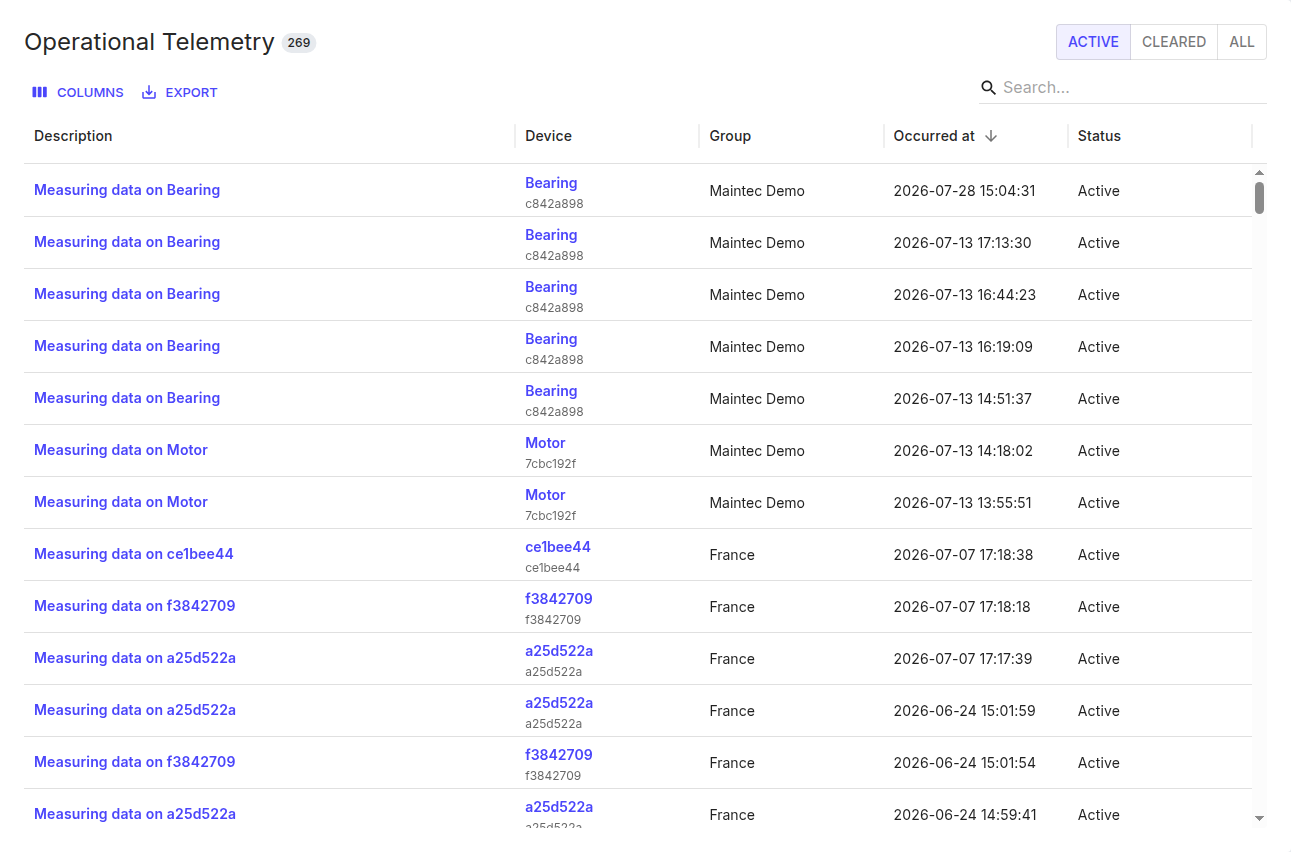
Use the Active / Cleared / All toggle to switch between operations still in progress, ones that have finished, or everything. The list has the usual Columns, Export and search controls, and these columns:
| Column | What it shows |
|---|---|
| Description | The operation — for example "Measuring data on Bearing". |
| Device | The measurement point / device it ran on. |
| Group | The group the device belongs to. |
| Occurred at | When the operation started. |
| Status | Its outcome — in-progress (with a progress %), Succeeded, Failed, or Timed out. |
This is the place to check when you've asked a device to do something — apply a configuration, trigger a measurement, or update firmware — and want to confirm it actually completed. A Failed or Timed out status usually means the device was unreachable or asleep when the operation was sent.