Classifications
Apply the same limits to every machine of the same kind. A classification is a reusable set of thresholds, either a standard ISO 20816 class or your own custom class.
- ISO 20816 classes — standard machine classes from the ISO 20816 standard, carrying that class's standard velocity-RMS zones.
- Custom classes — your own thresholds, for when the ISO defaults don't fit or you want to watch other KPIs.
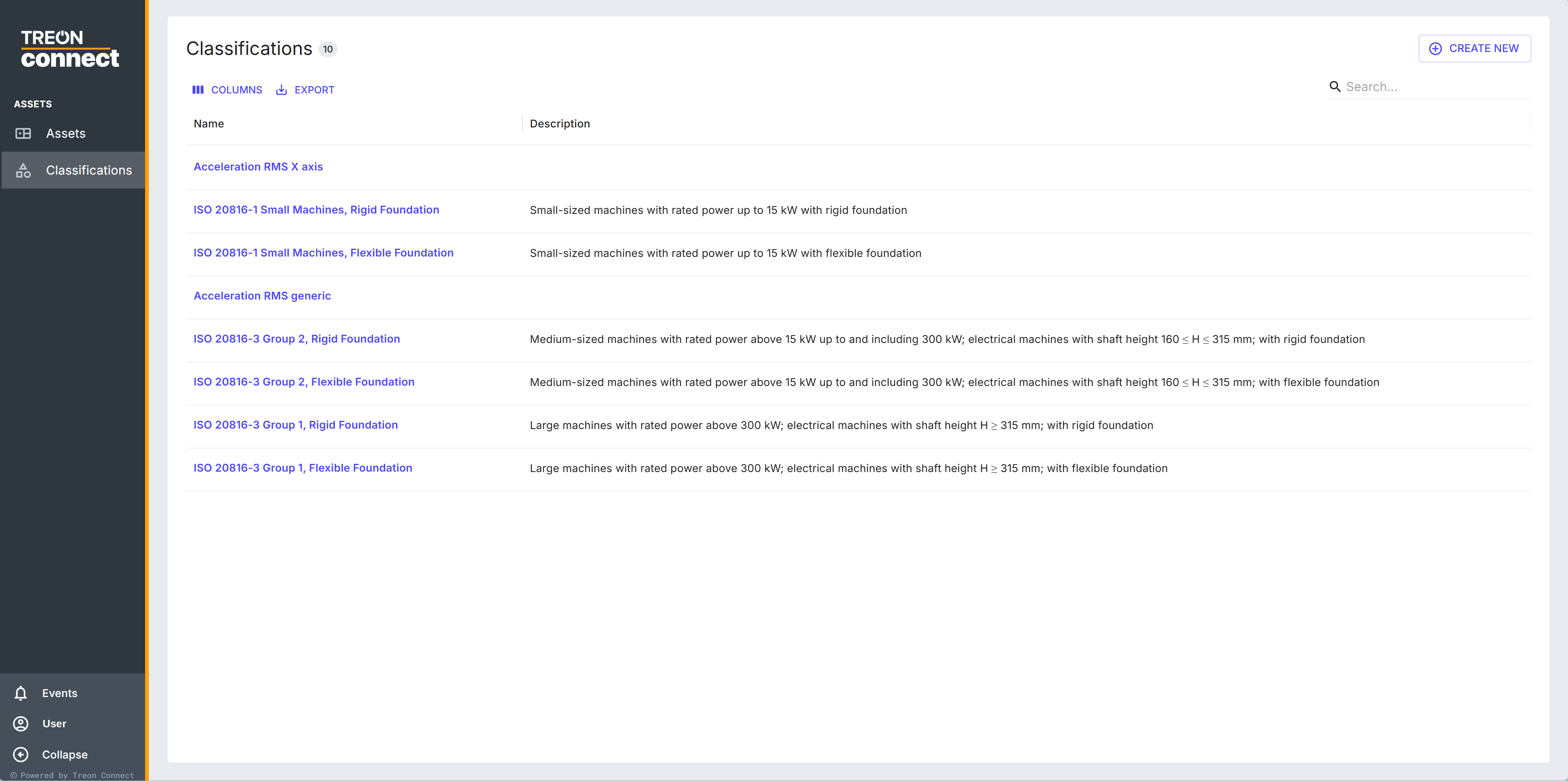
The Classifications list holds both. The built-in ISO 20816 entries cover small machines (rigid / flexible foundation) and medium (Group 2) and large (Group 1) machines (rigid / flexible) — open one to see its standard thresholds. Custom classes are the ones you create and manage.
Create a custom class
Click Create New to open the Create Class Template drawer.
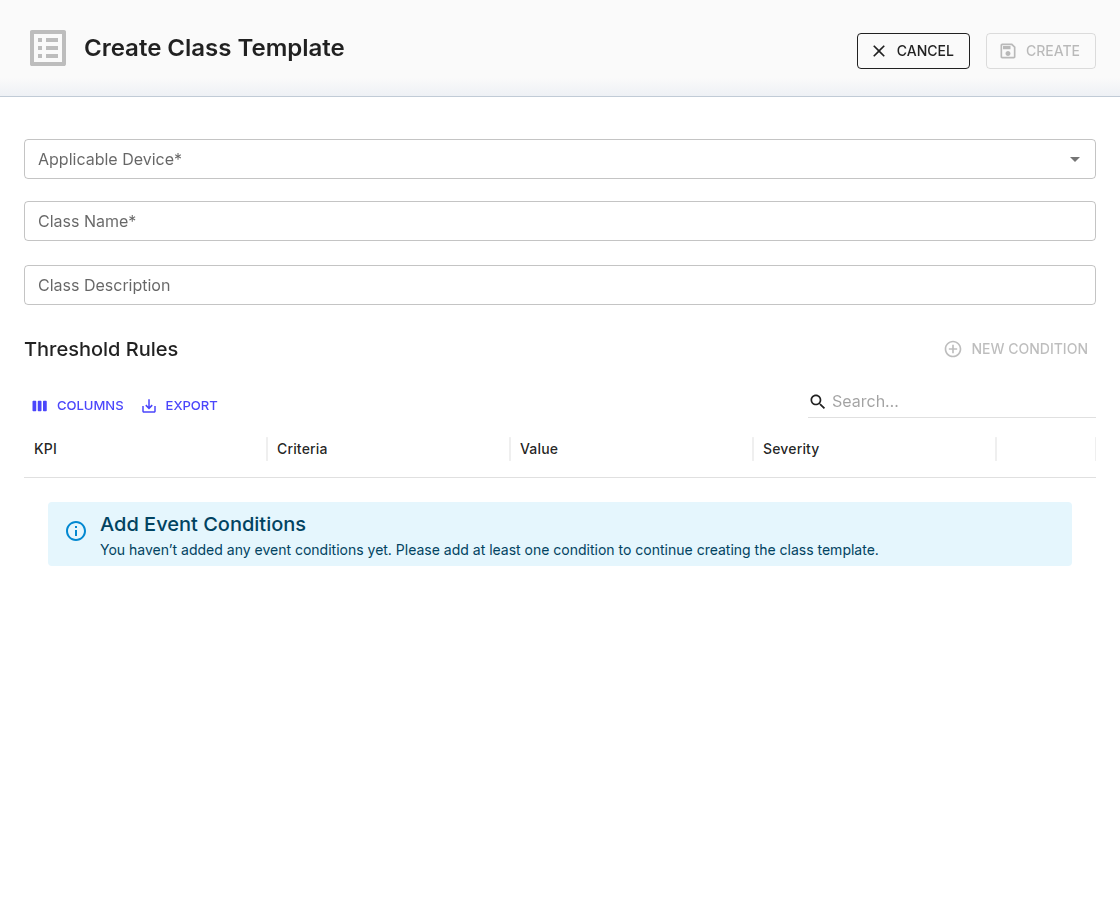
| Field | Notes |
|---|---|
| Applicable Device (required) | The device type the class is for (for example Treon Industrial Node X, Treon Industrial Node C). The KPIs available in the rules depend on it — so New Condition stays disabled until you choose a device. |
| Class Name (required) | Up to 256 characters. |
| Class Description | Optional, up to 256 characters. |
Then build the Threshold Rules — add a row with New Condition and set:
- KPI — the value the condition watches.
- Criteria —
>,<,=,>=,<=,!=. - Value — the number to compare against.
- Severity — Warning or Alert.
At least one condition is required; Create enables once a device, a name and a valid rule are set. A class with no conditions shows the Add Event Conditions prompt.
Apply a class to machines
Creating a class doesn't attach it to anything on its own. You apply it to a measurement point with Choose Class Template when setting event rules. Once applied, the class's thresholds raise that point's Warning and Alert events and are drawn on its velocity-RMS trend. Applying the same class to a whole line of similar machines is how you keep their limits consistent.
Edit or delete a class
Open a custom class to change its name, description or conditions (Save Changes), or Delete it (with a confirmation). Individual conditions are added, edited and removed one at a time.